
Identifying Print Roller Wear on your Label Printer or Print and Apply System
The rollers should be cleaned on a regular basis as well as checked for wear if they have been in operation for a long period of time. Not addressing a worn roller issue can lead to more serious and costly problems.
Issues caused by worn or damaged Print Rollers (Platen):
- Light print on entire label as well as left and right side of the label.
- If using thermal transfer ribbon, wrinkles could appear in the print.
- The label could slip while advancing causing the print to scrunch or move on the label.
- Voids in the print caused by cut or damaged roller.
- Label tracking to left or right while advancing.
- Mechanical problems could occur if the rollers become severely damaged such as:
- Main drive belt wear
- Roller bearing wear
- Premature printhead wear and failure
- Electronic failure due to jamming of the printer on a regular basis
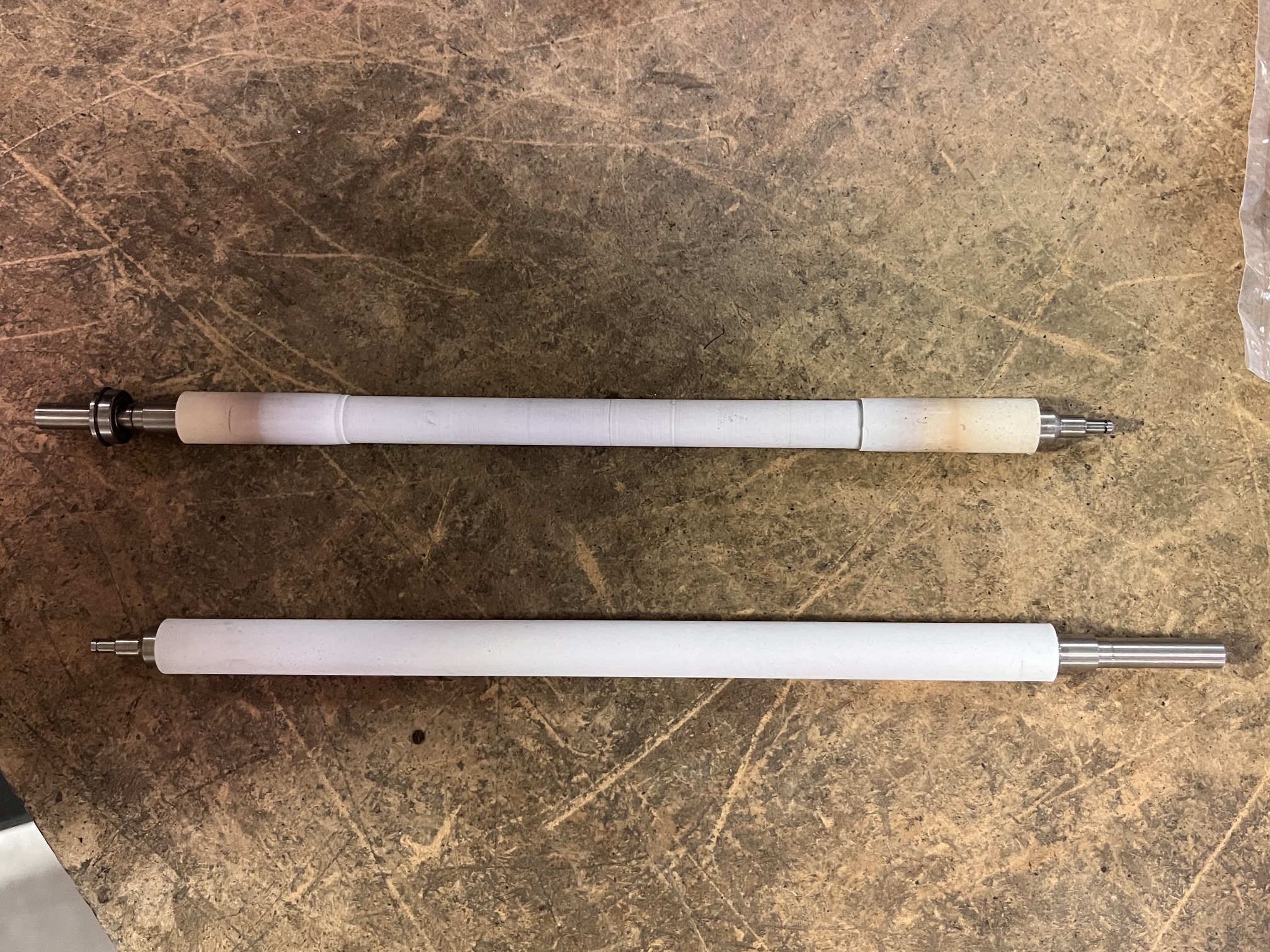
Ways to identify a worn or damaged roller:
- See image: Left - New print roller, Right - worn print roller
- Perform a visual view of the roller by looking for cuts or chunks in the rubber roller. Also, if the roller has a shiny surface, this indicates wear.
- Power the printer off, then slide your finger across theroller to feel for uneven spots on the roller. Also the roller should have a tacky feel if good and a smooth feel if worn.
- When the printer is powered on press the feed button to advance a label. If the label stops in different positions at the print head this indicates a worn roller.
- Poor print quality, light on one or both sides of the label.
- Out of paper fault caused by the label slipping and creating the Error.